Developer tools
2026
Portly
Know what is running on localhost.
About the project
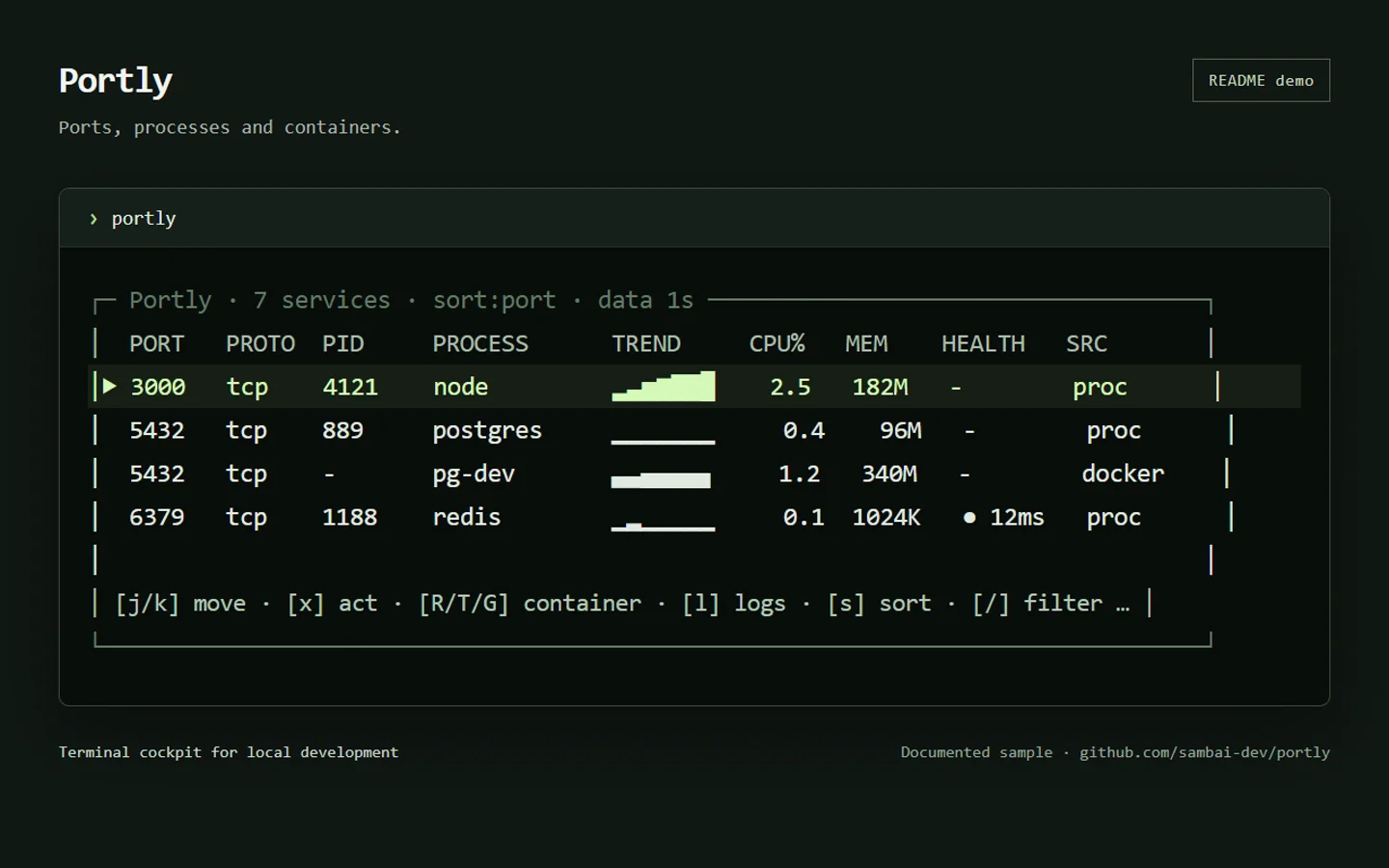
I built Portly to bring local ports, processes, Docker containers, health checks, and logs into one terminal view.
A port number is only part of the answer
Finding the process on port 3000 is straightforward. Checking its memory use, response, logs, and related container takes more digging. I put that information around the service being inspected, so the terminal can answer the next question as well as the first.
Make actions deliberate
Host processes and Docker containers have the same row structure: ports, CPU trends, memory, and optional health checks. Keyboard and mouse controls handle filtering, sorting, and logs. I require a second step before terminating a process or acting on a container. Before killing a process, Portly also checks that its PID still owns the expected port.
Keep collection separate from rendering
I separated the collectors from the Elm-style model and update loop, keeping I/O out of rendering. Each collector owns its rows, so a failed Docker request cannot erase host processes. Log messages carry a generation number to stop an old follower writing into a newly opened pane. The same discovery can also produce a JSON snapshot for scripts.
Show what the system can actually tell us
Portly ships binaries for Windows, macOS, and Linux. I focused on TCP listeners as the reliable core; UDP ownership varies by operating system. Health probes are opt-in plain HTTP checks against localhost. CPU cells stay blank until enough real samples exist, and stale data is labeled. This leaves some cells empty, but keeps the interface honest about what it knows.
Next project